Your methodologies Your standards 5X faster
Property assessment software that adapts to how your team works, instead of forcing you into a rigid process
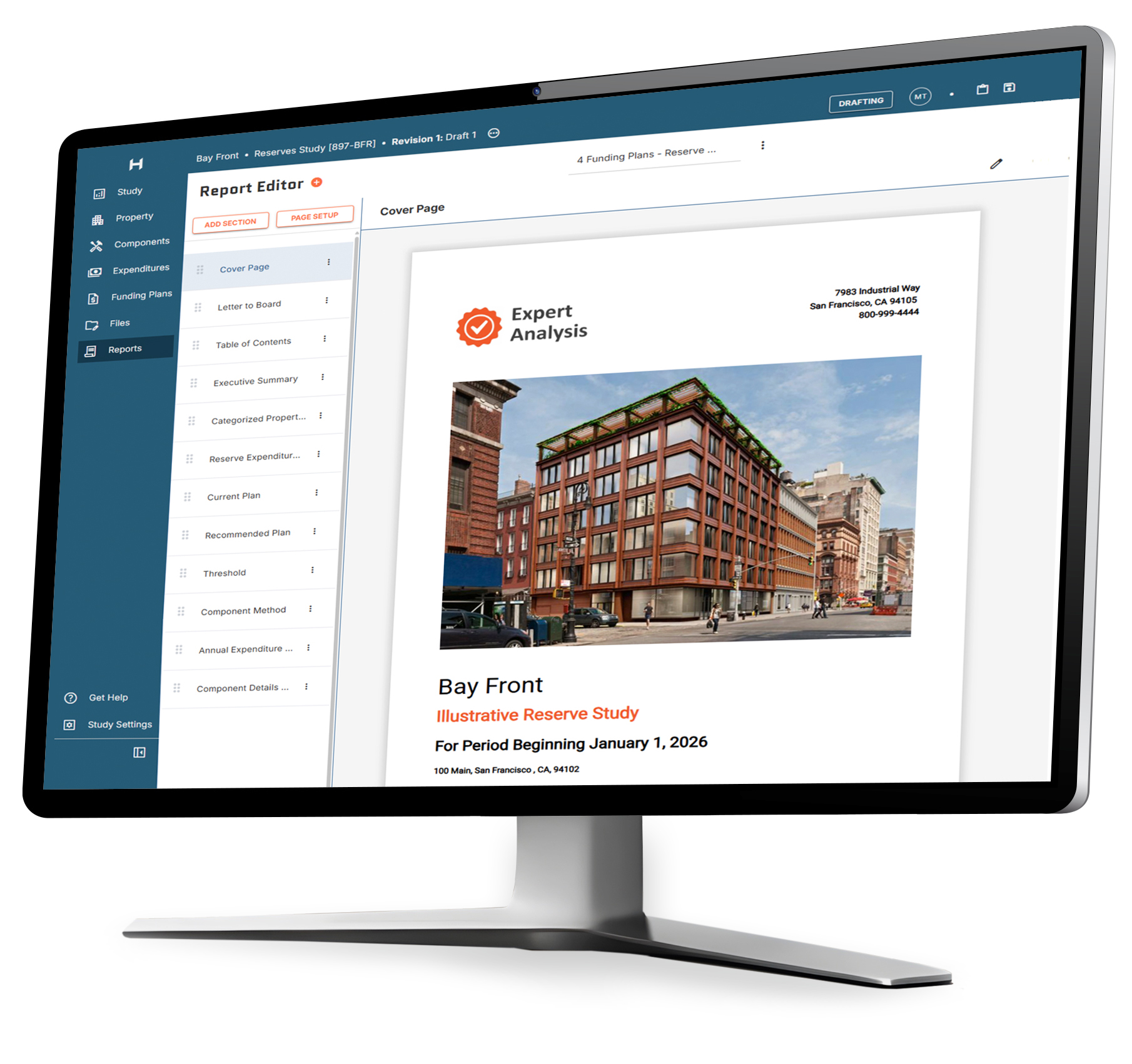
Built for the demands of complex assessments
Platform capabilities that support experts from initial data capture through final delivery
NewCapture field data with the mobile app and have it flow directly into your study
Take photos on your phone or tablet, mark them up and annotate directly on the image
Tie photos to the property or specific components and tag them with GPS location, so images are already labeled and report-ready in your study
Add components directly from your organization's Component DB so naming stays consistent across every inspector
Capture property-wide observations and photos alongside component data for a complete field record
Works fully offline in basements, mechanical rooms, and any dead zone — syncs automatically when you're back online
Create, brand and edit reports with ease
Fully customizable reports that reflect your brand and requirements, with your language library ready to drop in
Change a data point once, and edits automatically populate across all tables, charts and templates
Distinguish between maintenance, replacement and other component activities for more accurate reporting
Review and manage projected expenditures across all components and years at a glance in a spreadsheet-style matrix
Drag and drop photos in bulk, map them to components, and update filenames and captions from a centralized workspace
Streamlined workflow to produce reserve study updates from existing assessments
Powerful financial modeling for accurate cost projections
Build PCA cost tables for whatever term your client requires, with inflation applied to keep costs current
Supports all funding models including threshold, straight line/component methods and more
Compare up to 8 funding plans side-by-side to find the best funding strategy for each client
Set thresholds and contribution assumptions to see capital expenditures organized by year
Complete visibility into activities and costs for each year

Centralize component costs so you can access them in the office or in the field
Store components, deficiencies, costs, and the language that goes with them for consistent reports across all client projects
Build a richer cost database with each study, making future assessments faster and easier
Build component and deficiency lists by property type, system, or category, and add entire lists to studies in just a few clicks
Stop keeping critical cost and property data in your head - access current information, in the office or in the field

Model complex components with precision in your assessments
Break out component activities into detailed action plans with separate phases and schedules
Manage components independently within the same category to address unique property situations
Adjust component details directly within financial plans without switching between systems
Make bulk updates to multiple components and attributes with one click

Meet regulatory and market requirements without compromising your methodology
Built-in guidance helps you navigate local regulations and industry standards at each step of the reporting process
State-specific baseline calculations and sample reports provide compliant starting points you can customize to market requirements
Establish templates for each lender’s requirements, like Fannie Mae, Freddie Mac, and HUD, and your data fills them in automatically
Comprehensive funding models include component method calculations that meet both regulatory and industry standards
Structure reports to meet varying compliance requirements instead of being locked into a preset framework

Collaborate with team members to build reports faster
Invite and adjust team member access and roles to ensure secure report production
Real-time data updates, across the office and field, keep everyone working from current information
Access the platform from any computer with no limits on users or devices
Built-in status tracking shows report progress to the entire team at any time
Hand off reports between inspectors, writers, and reviewers with in-report flags and comments
Edit reports live with clients, while enabling independent access and analysis
Easily share digital studies with clients and track revisions
Make requested edits live in client meetings and finalize changes in real-time
Reports can be accessed anytime, anywhere by clients, property managers, property owners, board members, and stakeholders
Deliver graphic-based reports with robust financial projections that enable confident long-term decisions
Flexible platform adapts to any property type or size while meeting industry and state standards
Ready to see how it works?
Streamline assessment building with HomeRun IQ
From initial setup to final delivery, the platform guides you through a simple workflow
Set up your report
Start in the office or field, add property and components
Build your report
Add costs, select template, data auto-populates
Share and update
Distribute to clients, edit once to update everywhere
Set up your report
Start in the office or field, add property and components
Build your report
Add costs, select template, data auto-populates
Share and update
Distribute to clients, edit once to update everywhere
Launch fast with templates built how you want them
We guide your setup in live working sessions, configuring templates and workflows to your specifications
Hands-on training gets your team productive immediately
Templates, branding, and workflows configured to your standards
Data migration support from your current system

Frequently asked questions
Yes. During setup, our team maps your existing cost data and language into your component library. Your costs may be organized a little differently in HomeRun IQ, but the information carries over, and your reports keep your format and branding.
HomeRun IQ includes a centralized photo workspace where you can insert, or drag and drop high-resolution photos in bulk directly from your site inspection. The system allows you to map multiple images to specific components, update filenames, and edit captions in one interface before they are automatically synchronized with your final Reserve Study or PCA report.
No, there is no limit to the number of photos you can associate with a specific component or project. Our cloud-based architecture is designed to handle high volumes of visual documentation, ensuring you can provide as much photographic evidence as necessary for complex engineering inspections without performance delays.